


Hello there, Today I am going to show you the how-to setup Cloudflare Pages deployment Slack notifications using GitHub Action
Let's touch base...
What is Cloudflare Pages ?
Cloudflare Pages radically simplifies the process of developing and deploying sites by taking care of all the tedious parts of web development. (read more)
Concept
CF Pages as a concept is not new. For example, Github Pages is essentially exactly the same thing. There's additionally Netlify, CloudFront + S3, Vercel, and GitLab Pages. So you could ask yourself "What's the point of using one more platform?"
Let's list some reasons:
- In one dashboard you will find everything DNS management, Workers (Serverless functions in CF), WAF, Security Center, Page rules, and many more great things for your website!
- Quick integration with GitHub and GitLab repos, fast builds, and awesome CDN!
- Free plan is lit! (Unlimited sites, bandwidth, requests !!! yeah, you heard it right!)
Problem
Assuming you already have set up CF Pages and just one thing of the puzzle is missing, Slack notifications!
Currently, there is no direct integration for Slack notifications on CF Pages like other services such as Netlify and also there are some community posts like this one asking for solution https://community.cloudflare.com/t/get-slack-webhook-when-pages-build-finished-cloudflare-pages/311019
Solution
Without further ado let's get our hands dirty !
There are plenty of blog posts on how to create CF Pages project so I will not include that in this post.
In order to achieve this I've published a Cloudflare Pages Slack Notification GitHub action
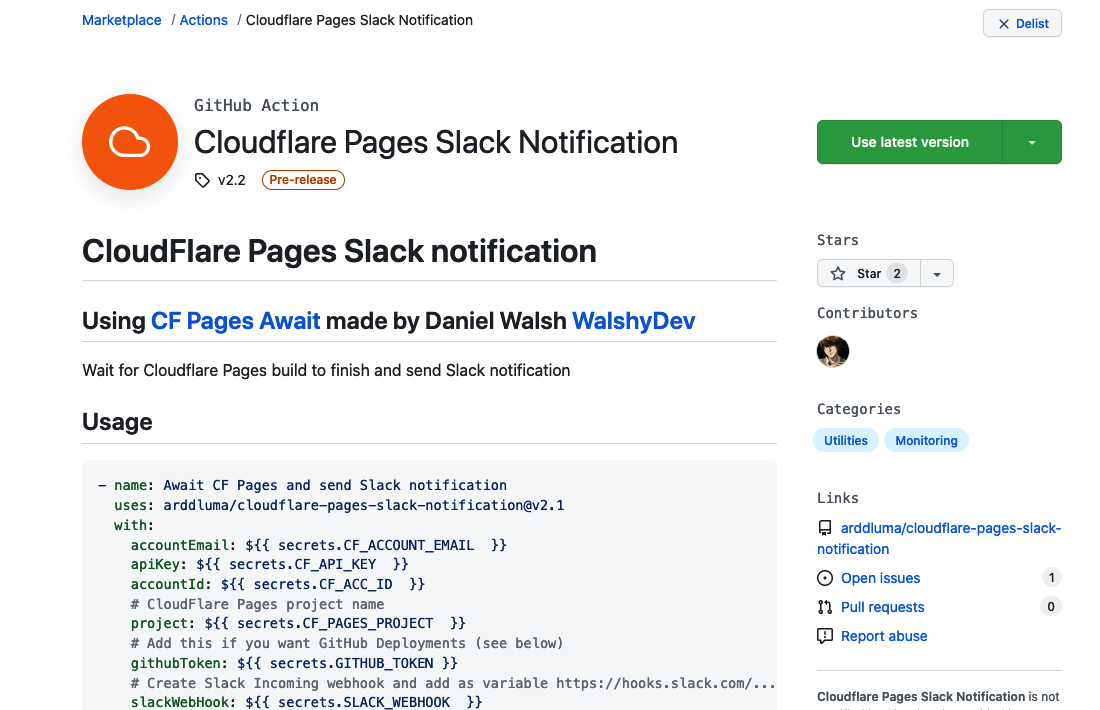
https://github.com/marketplace/actions/cloudflare-pages-slack-notification
Let's analyze it a bit how this action works:
- It is built on top of CF Pages Await by WalshyDev
- Uses slack-notify npm package
Whenever there is a new push to GitHub it triggers GitHub action pipeline where it waits for deployment to finish by listening to Cloudflare API Read more
If the deployment fails it will show a Slack message like this:
 (failed build notification)
If deployment is successful shows message as:
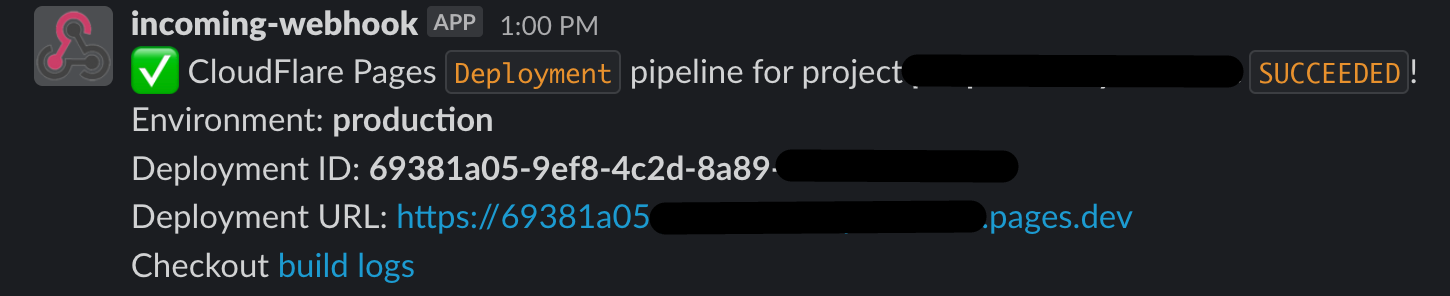 (deployment successful)
It also adds deployments directly in GitHub

Usage
Let's first add GitHub secrets:
- CF_ACCOUNT_EMAIL - Cloudflare account email
- CF_API_KEY - Global API key (get it here https://dash.cloudflare.com/profile/api-tokens)
- CF_ACC_ID - Cloudflare account ID (from dashboard URL https://dash.cloudflare.com/180f4xxxxxxxxxx or go to Workers and on the right is
Account ID) - CF_PROJECT - Cloudflare Pages project name (e.g test-dashboard)
- SLACK_WEBHOOK - Slack Incoming Webhook https://hooks.slack.com/....
- GITHUB_TOKEN - It will be automatically fetched by pipeline - no need to be added, this is used to add deployments on GH as per the screenshot above.
Verify added secrets:
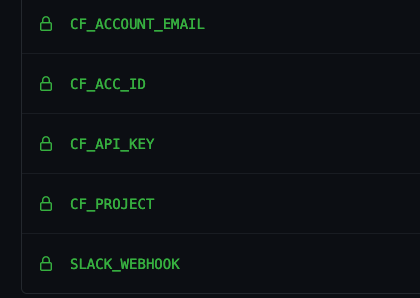
Let's start creating GitHub action configuration yml.
Create a .github/workflows/action.yml file and add the following
name: Send Slack notifications
on:
  push
jobs:
  build:
    runs-on: ubuntu-latest
    steps:
    - uses: actions/checkout@v2
    - name: Send Slack deployment notifications
      uses: arddluma/cloudflare-pages-slack-notification@v2.2
      with:
        accountEmail: ${{ secrets.CF_ACCOUNT_EMAIL  }}
        apiKey: ${{ secrets.CF_API_KEY  }}
        accountId: ${{ secrets.CF_ACC_ID  }}
        project: ${{ secrets.CF_PROJECT  }}
        githubToken: ${{ secrets.GITHUB_TOKEN }}
        slackWebHook: ${{ secrets.SLACK_WEBHOOK  }}
After running the pipeline you should get notifications on Slack like this:
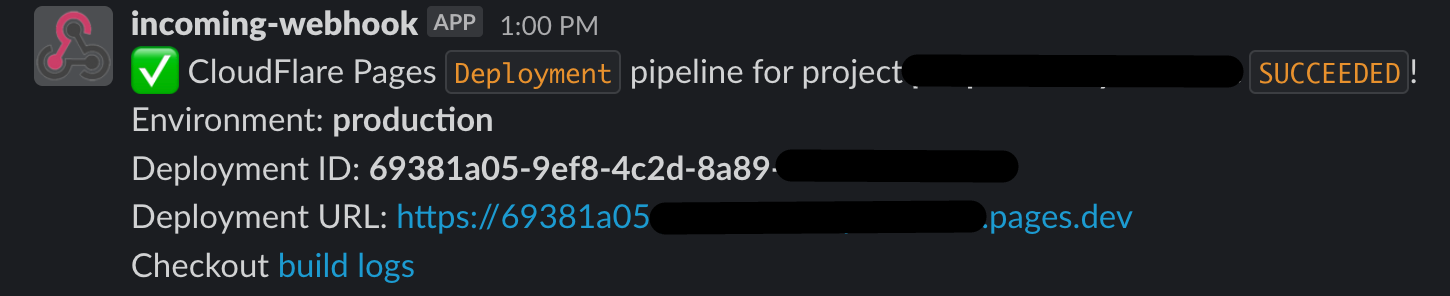
And..... Voila 🎉
That's it! You now have deployment notifications on Slack! Enjoy :)
Thanks for reading!
Comments
Join the discussionNo comments yet. Be the first to comment.


